Troubleshooting
Common problems
- The build stops with an error about the CMake version.
The bundled HDF5 library needs CMake 3.26 or more recent. Check your version with
cmake --versionand see the requirements.- The build takes a very long time.
Compiling the bundled libraries, in particular HDF5, takes a while. Compile more files in parallel, e.g. with 8 cores:
./install.sh -j 8(see Step 3).- command not found: platosim
For a source installation, add the
build/directory to yourPATH(see Step 5). For a Conda installation, activate your environment withconda activate platosim.- KeyError: ‘PLATO_PROJECT_HOME’, or PlatoSim cannot find its input files.
The environment variable
PLATO_PROJECT_HOMEis not set, or points to the wrong directory. Check it withecho $PLATO_PROJECT_HOME(see Prerequisites).- ModuleNotFoundError: No module named ‘platosim’ (or another package).
Activate the environment in which you installed the Python packages (
conda activate platosim, orsource .venv/bin/activatein thePlatoSim3directory) and check that the installation of the Python packages finished without errors.- PlatoSim stops with “Output file … already exists”.
PlatoSim never overwrites an output file. Remove the file, choose another name, or use
sim.run(removeOutputFile=True)in Python.- PlatoSim stops with a configuration error.
Your configuration file probably comes from an older version of PlatoSim. Update it with the migration tool, or start again from a copy of the default
inputfile.yaml.
More causes of failed simulations are listed under Error codes.
Report a problem
If your problem is not listed above, please open an issue in our GitHub issue tracker rather than e-mailing one of the developers. This helps us keep track of open problems and lets other users find the answer too. First check whether your problem has already been reported.

Click the green New issue button to open a new issue:
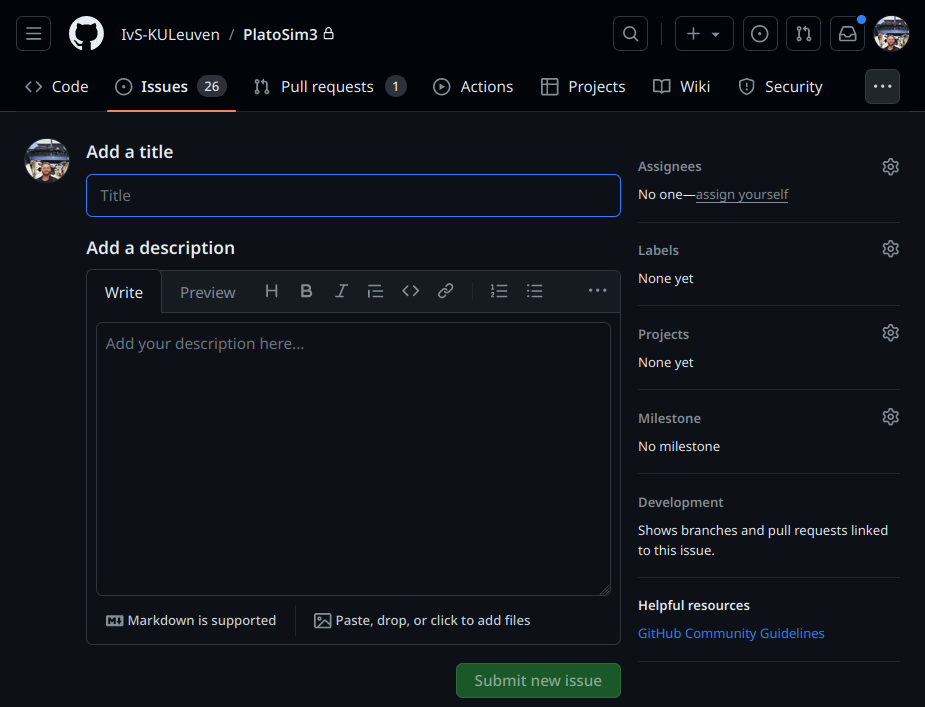
To help us solve the problem quickly, please include:
A short title and a clear description of the problem, and what you already tried to solve it.
Whether it is a bug, a question, or a feature request.
Your PlatoSim version (the output of
platosim -version) and whether you installed it with Conda or from source.Your configuration file and the log file. Run the simulation with log level
3(the default), which includes the debug messages.For problems with the installation or with running PlatoSim:
your operating system and its version;
the versions of your compiler (
gcc --versionorclang --version) and CMake (cmake --version);the versions of Python (
python --version) and uv (uv --version);the full error output (see The build fails?).