CLI Commands CGSE
The CGSE comes with a suite of CLI commands to start and stop services, get
status reports and check the installation. It's actually a suite of cgse
sub-commands that is extendable by external packages. This section will
describe the commands that are available from the cgse packages.
The cgse command
When you run the cgse command without arguments, you will see something
like this.
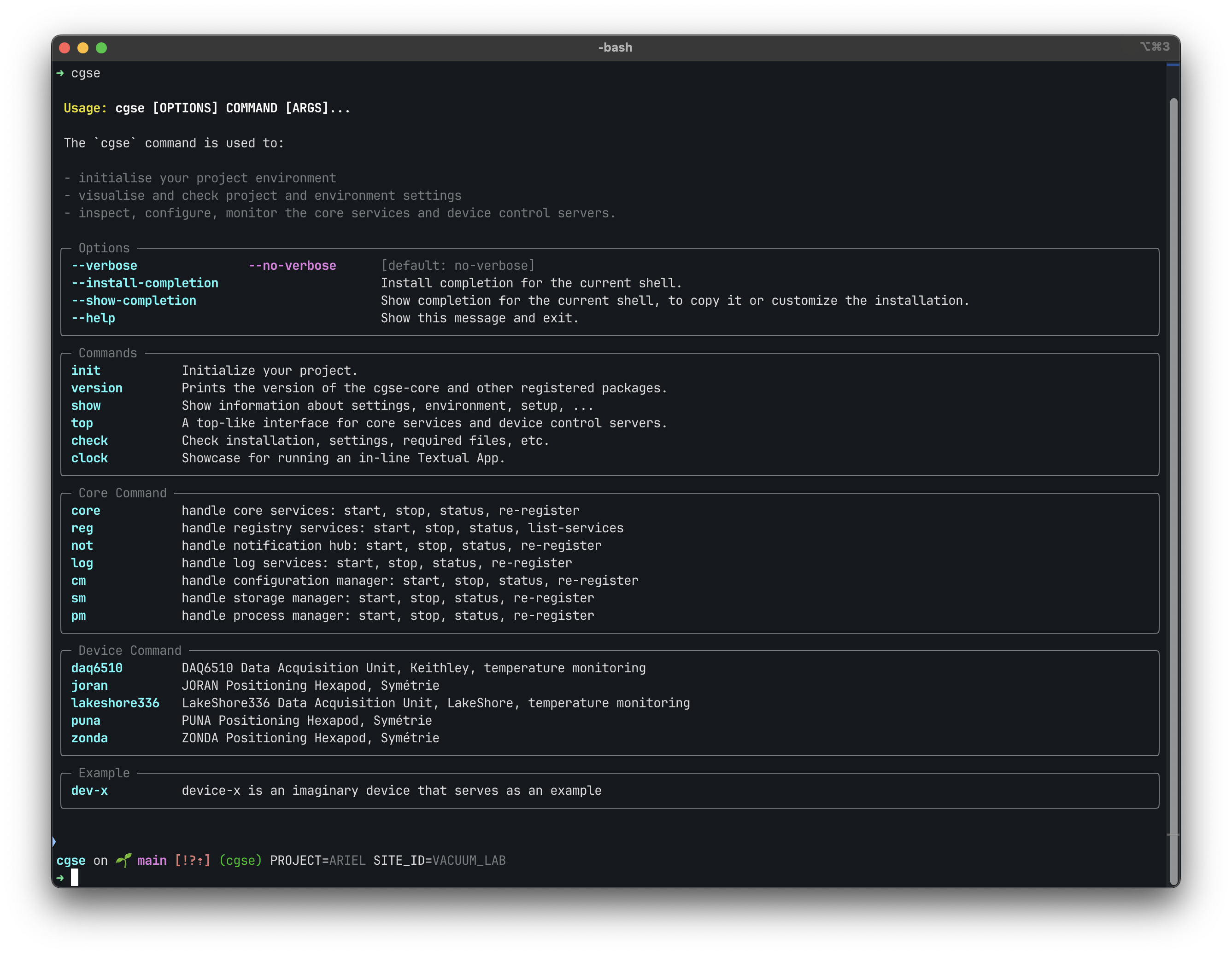 The Options sections shows the global options to the CGSE command and allows you to activate auto-completion for all
sub-commands.
The Commands section lists the cgse commands that are not linked to a core service or a control server.
The Core Command section lists the sub-command for each of the core services, use core when you want to
start/stop all core services in one go. The core services are:
- reg the service registry for all core services and control servers
- nh the notification hub that collects and publishes all events
- log the log server that collects and stores all log messages
- cm the configuration manager
- sm the storage manager
- pm the process manager
- mh the metrics hub that collects and forwards metrics
The Device Command section lists the sub-commands for all device packages that have been installed and have a
plugin for the cgse command. The cgse monorepo provides the following devices, each in its own package:
- daq6510 the Keithley DAQ6510 Data Acquisition and Logging Multimeter (
keithley-tempcontrol) - lakeshore336 the LakeShore 336 Temperature Controller (
lakeshore-tempcontrol) - puna, joran, zonda the Symétrie positioning Hexapods (
symetrie-hexapod) - tgf4000 the Aim-TTi TGF4000 arbitrary function generator (
aim-tti-awg) - pmx_a the KIKUSUI PMX-A power supply (
kikusui-power-supply) - rsd3305p the RS PRO RS-D3305P power supply (
rs-pro-power-supply) - dt8874 the Digilent MEASURpoint DT8874 (
digilent) - tvac the IvS Thermal Vacuum Chamber (
ivs-tvac) - facility_hk the housekeeping from the facility database (
ariel-facility) - tcu the ARIEL Telescope Control Unit (
ariel-tcu)
Each device has the sub-commands start, stop and status to manage its control server. When the simulator of a
device runs as a separate process, there are also start-sim, stop-sim and status-sim, e.g.
cgse daq6510 start-sim. Other devices have a simulator that is part of the control server, start it with --sim,
e.g. cgse puna start --sim PUNA_01. Operations on the device itself are in the command of its control server,
e.g. daq6510_cs start-scan.
The Example section lists devices that are purely there as examples on how to develop device drives and their plugins and how to use them in the framework.